🎮 Game Controls & Keyboard Guide
Play Hotshift Fullscreen on Hyper Casual Hub - Instant Free HTML5 Browser Games
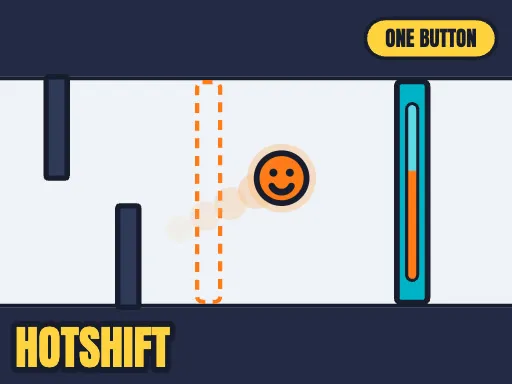
One button does two things at once. Hold it to rise — and to burn HOT. Let go to fall — and to go COLD. Orange gates let you through only while you burn. Blue gates only while you are cold. Going up means burning, so "be high and be cold" is a problem, and that problem is the whole game.
Unleash your full potential in Hotshift! Dive into intricate Arcade levels designed to challenge casual players and hardcore veterans alike.
⚡ Key Features
🎮 Responsive Controls
Optimized for smooth keyboard, mouse, and touchscreen input across all devices.
📱 Cross-Platform Ready
Flawless gameplay experience on PC, Laptop, Chromebook, iPhone, iPad, and Android.
⭐ Pro Tips & Strategy
Stay centered on the screen whenever possible to allow maximum reaction time in all directions. Stay centered on the screen whenever possible to allow maximum reaction time in all directions.
Complete Guide & Gameplay for Hotshift
Each session in Hotshift offers a fresh challenge. Focus on combo multipliers, preserve your resources, and execute tactical maneuvers to outlast rival players.
This classic Agility browser title is fully optimized for HTML5 browsers, delivering responsive physics and immersive action on desktop, mobile, and tablet platforms without downloads.
